Free apps - Windows

GridFlow free apps

Four lightweight Windows apps for cash flow, pricing, and invoicing. No installer, no account, no subscription.

Download launcher .exe Version loading...

Windows may show a SmartScreen warning before you run an .exe (More info, then Run anyway). You do not have to download - every app below also has a Try in browser HTML version with no Windows warning.

Why use GridFlow apps?

Built for trust, not lock-in

Portable / Zero Install

Run straight from the .exe - no setup wizard, no registry changes, no admin rights. Delete the file and it's gone.

100% Private & Local

No account creation required. Your financial data, invoices, and rates stay on your machine - never uploaded to our servers.

Truly Free

No hidden subscriptions, upsells, or trial expirations. Download once and use forever - no credit card, ever.

Desktop .exe vs browser

What the .exe can do that the website cannot

Free apps (Cash Flow, Rate Estimator, Invoice AI) are open on this page. Pro apps require purchase - one payment unlocks both the Windows .exe and the HTML browser version on the unlock page.

Feature Desktop .exe Browser (website)
Custom app icon (taskbar / Alt+Tab) Yes - branded icon per app No - generic browser tab
Works fully offline Yes - no website needed after download No - needs internet to load the page
Starter Bundle launcher Yes - one .exe opens all tools No - open each page separately
AI quick add (Invoice, Cash Flow, Rate) Unlimited on Invoice .exe; Cash Flow + Rate always free Invoice: 5 AI fills/month (server-tracked)
Native window (no browser UI) Yes - feels like a desktop app No - runs inside your browser
Windows SmartScreen warning May appear once before first run (unsigned .exe) - click More info, then Run anyway Not applicable - use HTML version in browser, no download
Account / sign-up None required None required

The core toolkit

Four apps, one download

Each tool runs independently or from the Starter Bundle launcher. See real app screenshots below, then grab the .exe you need.

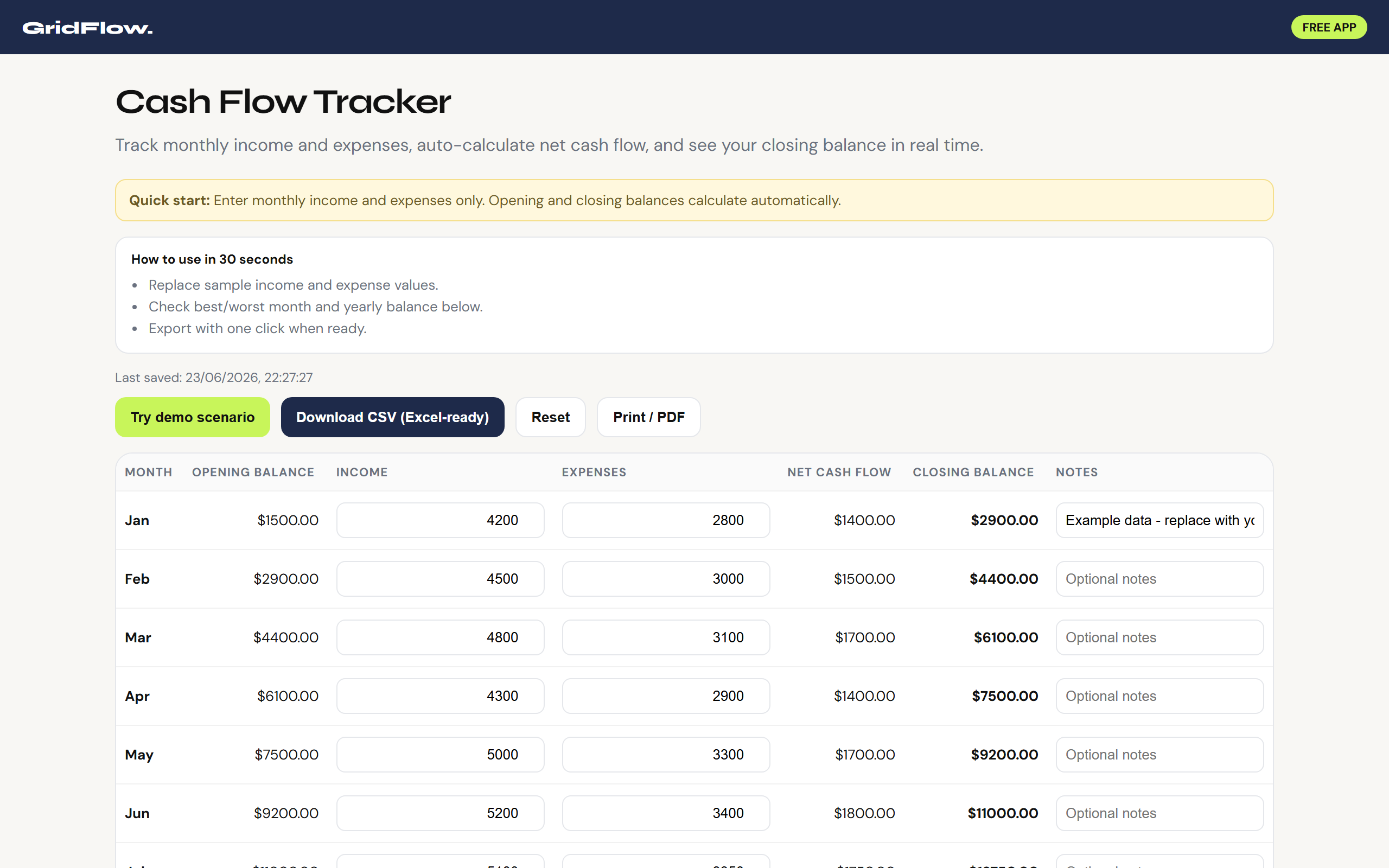
Screenshot of GridFlow CashFlow app showing monthly income and expense tracker

Finance

GridFlow CashFlow

  • Automates 12-month income vs. expense tracking with instant net-cash-flow totals.
  • AI quick add: describe income or expenses in plain language - smart parse fills the grid (optional Claude API key).
  • Highlights your best and worst months and exports everything to CSV for Excel.
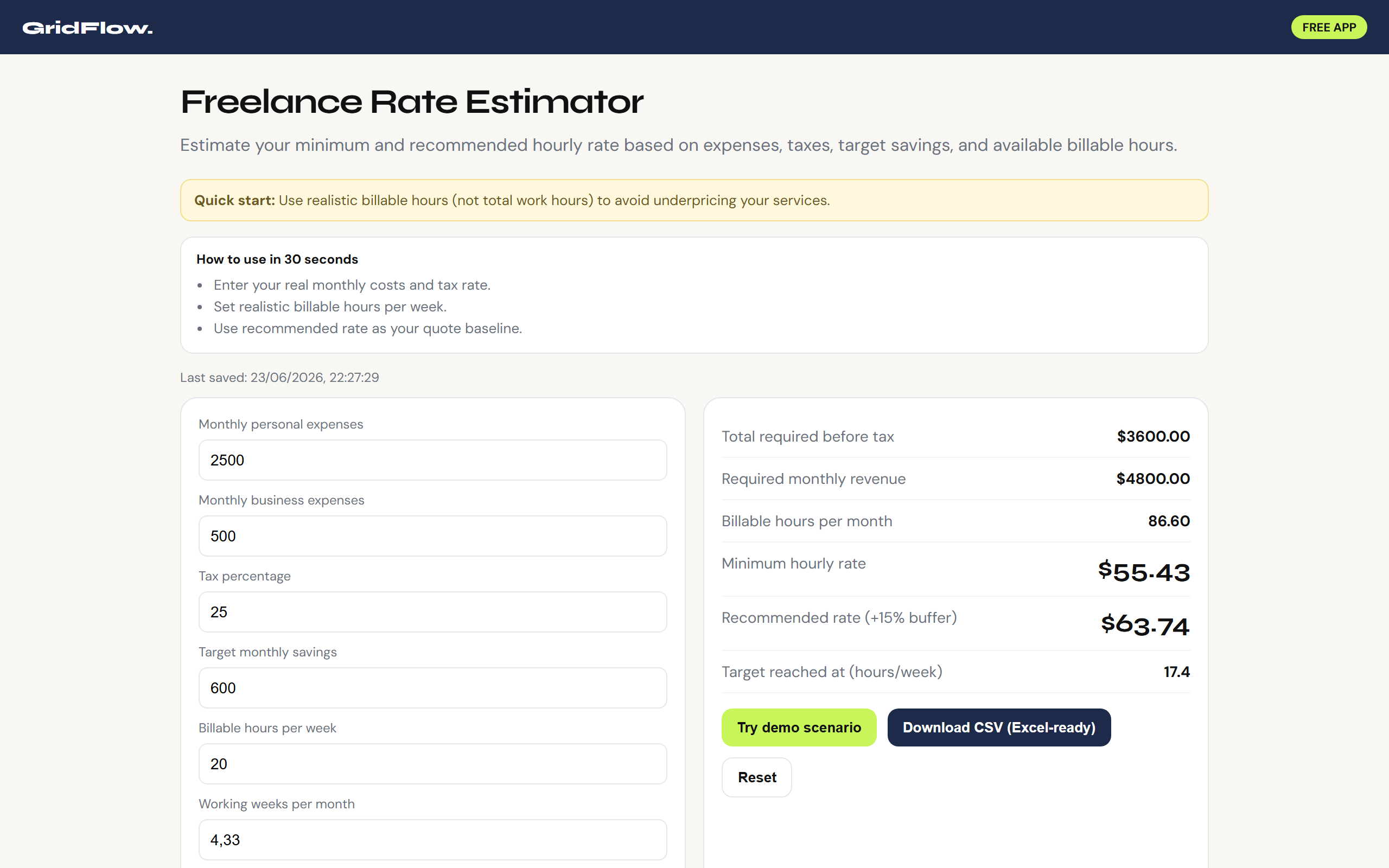
Screenshot of GridFlow Pricing Calculator showing hourly rate inputs and results

Pricing

GridFlow Pricing Calculator

  • Calculates your minimum and recommended hourly rate from costs, tax, savings goals, and billable hours.
  • AI quick fill: paste your costs and hours in plain language - smart parse updates the calculator (optional Claude API key).
  • Stops undercharging - adjust any input and see your rate update instantly.
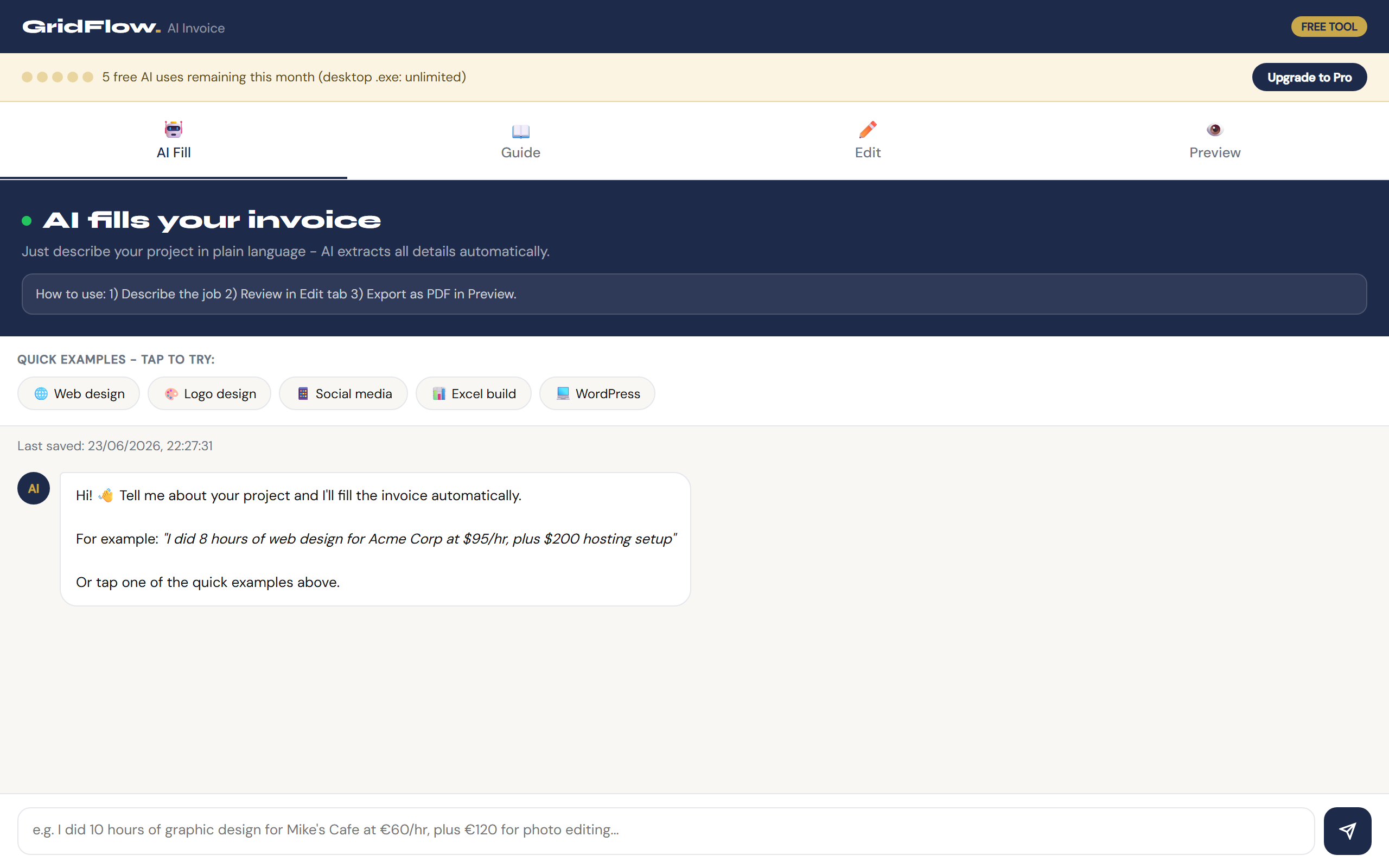
Screenshot of GridFlow Invoice AI app with chat-style invoice builder

Invoicing

GridFlow Invoice

  • AI fills a professional invoice from a plain-language project description - edit, preview, print to PDF.
  • Browser: 5 AI fills per month free. Invoice AI Pro: unlimited AI for €5/month.
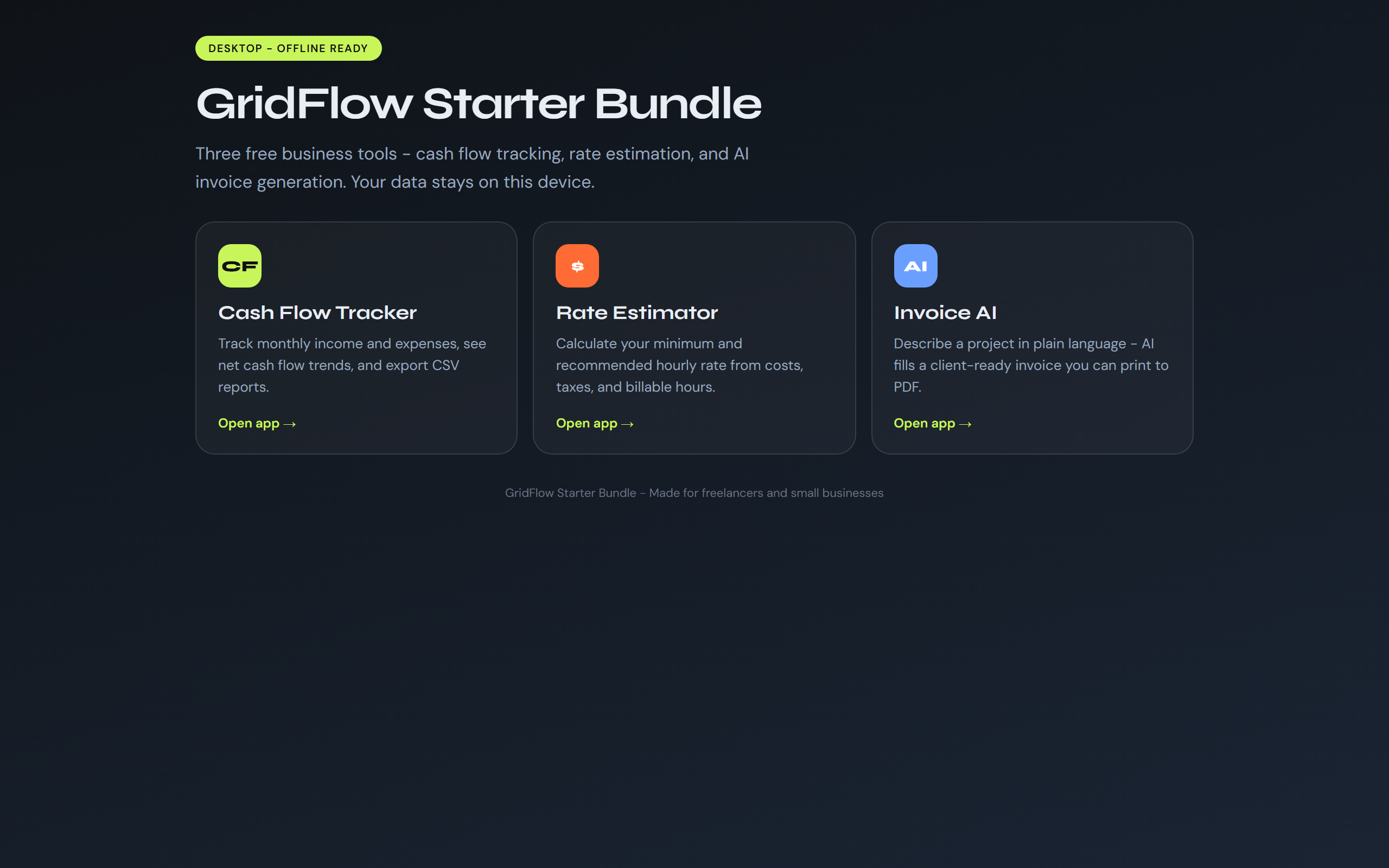
Screenshot of GridFlow Starter Bundle launcher dashboard

All-in-one

GridFlow Starter Bundle

  • One lightweight dashboard to launch CashFlow, Pricing Calculator, and Invoice from a single .exe.
  • Recommended starting point - download once, pick any tool, get to work in seconds.

Getting started

Up and running in 3 steps

01

Download

Click the launcher button above. Your browser saves a single ~13 MB .exe file - no zip extraction needed.

02

Run

Double-click the file. No installation wizard, no reboot. If Windows SmartScreen appears, click "More info" then "Run anyway" - or use the HTML version in your browser instead (Try in browser on each app above).

03

Launch

The Starter Bundle dashboard opens. Pick CashFlow, Pricing Calculator, or Invoice - your data saves locally on your PC.

Prefer individual apps? Download any tool directly from the grid above - each .exe works standalone.

Technical details

Specifications & safety

System requirements

PlatformWindows 10 / 11 (64-bit)
RuntimeMicrosoft WebView2 (pre-installed on most PCs)
File size~13 MB per app
Install typePortable - no installer, no admin rights
InternetOptional - smart parse works offline; API key uses Anthropic when you choose Claude
AccountNone required
Version1.0.0

What the .exe does (and doesn't do)

OpensA local window showing the GridFlow tool UI
Stores dataLocally on your device (browser localStorage)
Runs in backgroundNo - closes fully when you exit
Registry changesNone
Uploads dataNever (optional Anthropic API call only if you add your own key and use Claude fill)
Code signingNot yet signed - SmartScreen warning possible

Frequently asked questions

Yes. GridFlow desktop apps are built with PyInstaller and Microsoft WebView2 - the same stack used by many professional desktop tools. They do not install background services, modify the registry, or request administrator privileges.
Our builds are not yet digitally code-signed. SmartScreen flags any new, unsigned executable from an unknown publisher. Click "More info", then "Run anyway" once - or skip the download and open the same tool as an HTML page in your browser (Try in browser on each app card above). We plan to add a code-signing certificate for wider distribution, which eliminates this warning.
No. None of the GridFlow desktop apps require sign-up, login, or a subscription. Your financial data stays on your machine.
Right-click the .exe, open Properties, check "Unblock" at the bottom if shown, then OK. Double-click again. Also ensure WebView2 is installed (Windows Update usually handles this).
The .exe has a custom taskbar icon, runs fully offline without loading our website, and includes the Starter Bundle launcher. Invoice AI in the browser is limited to 5 fills per month (tracked server-side with a secure cookie). The desktop .exe has unlimited AI fills.
Yes. Every app has a "Try in browser" link in the grid above. For offline use and a custom taskbar icon, download the desktop .exe.

Changelog

Loading-